
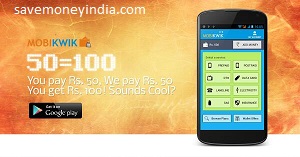
 Minimum “Add Money” should be Rs. 100. Mobikwik Wallet can be used to Recharge your phones, pay your bills & buy stuff.
Steps: 1. Download the Android App. 2. Add Rs. 100+ to Wallet 3. Visit “My Account” > “Redeem Promo code” & enter “YESMOBI” to avail Rs. 50 instantaneously!
Rs. 50 Cashback on Rs. 100+ Promo Code: YESMOBI
Download: MobiKwik Android App | MobiKwik Twitter (offer details)
opt manga daal diya. promocode YESMOBI dala per bol rha hai invalid promocode somebody help me what to do.
i dont received 50 cash back code invalid please help
WORKING FINE !! GOT 50RS.. THANKS
MOBIKWIK
this offer is working, anyone want to claim Cashback on same devise with other numbers go like this.
1) Install c cleaner.
2) Claim your CB with one account.
3) Uninstall app.
4) Open c cleaner and run a cleanup which will clear the residues of app.
5) new id new number, cash back.
otp daalne pe aur promo code ALLMOBI daalne invalid coupn code inter de raha hai…
Working like a charm. Have redeemed thrice with different IDs and phones. Got 50 cashback in all in a jiffy.
once I used this offer, and lost money uselessly..
Now I find mobikiwik a fraud, that’s why they ask to add money to wallet rather than recharge, so no one can claim refund.
Very risky..
Thank you Dear Mobikwik and SMI.
-> Very old Account & also an old Android App user
-> Added Rs.102
-> Entered OTP
-> Applied Code
-> Amount Received Rs.50, New balance – Rs.152
WTF…i didn’t got any cashback…it says server not responding now.
thanxxxx yaar..
I got 50 cash back 🙂
n m a old user of mobikwik 🙂
this detail for other people.
Thanx mobikwik…
I got 50 extra in my account.
This promo code is working.
It only works once.
Also for the old as well as new users.
bullshit lost 100
do not use on one device twice please use different device with different id
thanks to mobikwik
Works like a charm
I am able to redeem this offer in one try. Please do not think its fake offer or only for new user.
I am using mobikwik since 9 month. My account is old, so its clear that offer is also for old users.
Please try it
Not working showing as server not responding, please try again.
server not responding at time of promo code …… wtf
server error…..
CAN I USE IT TWICE?
working for old account also but only for one time for one device.
server not responding
thanks SMI
but somebody please reply… I have redeem the coupon on my one account … so can I redeem again in another account from the same device ?????
please reply
Got 50 /-
Works on old account also.
I have account in website already, If I download in my mobile as a mobile app, is it work for me?
Cheaters Don’t Believe this…
i tried all the things which they mentiones but i got result as “our system shows that your device has used the redemvocher already” but that is the first time i am using..
totally waste cheating fellows…
Mobikwik ko BAND KARNA HOGA
it works for me but you must have a new account
In the offer details it clearly states “Offer for New “MobiKwik Android App Users”.” Though I have an account with Mobikwik this is the first time I downloaded and installed the android app for the same. That should make me eligible for the offer. Nowhere it says that I need to create a new account.
Alas ! I added Rs. 101/- to the wallet and then applied all the codes mentioned, but none of them worked as few users have mentioned. I am disappointed with savemoneyindia as well as Mobikwik for posting a non workable info.
Will somebody from savemoneyindia/Mobikwik help with a solution ?
Regards.
I dont get rs 50 cashback
This is not valid
this is fraud site (pay ur bill) i cant my pay my idea bill……….and they dont any reply to me when i file a complaint this….
no reply from mobikwik after 3 days
I got no rs 50 cashback
please mobikwik atleast respond me I lodge 2 tickets already
Well saprit,you saw the deal when it ended and nomatter how hard you try after that it wont work. Blame on your luck not on mobiqwik.
Awesome….it worked,at first it given me a tension it shows that my mobile was already used the redemption.yes its correct but not this coupon its another,after I tried again it came success and in my wallet 150+ rs
happy!!!
Thank you….smi
I will not forget ur team members….grt wrk
i wasted 200 rupees and never got reply from customer support….dont waste your money here
DONT Accept this positive response here like yes, i got it , i reddem this copoun… this are totally waste off UR time i have tried this from last 7 days WOWMOBI
& APRMOBI50 CODE WITH 5 TO 6 NEW USER ID AND IN MOBILE APP ALSO I H’VE recieved maile also but when ur transfer ammount to mobi wallet & then use promo cant apply showed INVALID PROMO CODE / ERROR/ ETC …ITS TOTALLY FAKE ADD…. FAKE POSITIVE REVIEW TO ATTRACT U……. DONT WASTE UR TIME HERE…
I LOST BUT U CANT DO AGAIN…..
The promo code does not work
work s of you got the code in e-mail
Still working
thanx wowmobi is workin…
fullon bana ne k dhande hai.
WORKING FINE !! GOT 50RS.. THANKS MOBIKWIK 🙂
This side Chor side is par bane laga dena chahiye.
It does not work on windows phone!!!
i wasted 200 rupees on this..
error – you are not eligible for this offer…
I used “wowmobi” previously..
first time i used this app after signup u r already registerd.Fake Offer Don’t move to waste time
never believe on this site they remember ur android app version and they will not give u any rs 50 cash back.
Hey it worked… I got rs.50 as credit amount in wallet
This side Chor side is par bane laga dena chahiye best side is freerechare & pay tm
I recharged for an old a/c but tried to enter both the above coupons…it says Server Busy try again later 🙁
It says Connection error while logining in my a/c…plz advise
i had got cashback on the same phone with diff account.
earlier in evening it failed bt now the coupon worked. APRMOBI50
Working only one time!!!
For one mobile
Just received an email from mobikwik
Redemption Process:
1) Sign In to your Mobikwik Account.
2) Add Money to your MobiKwik Wallet
3) On your Dashboard, click on the Promocode & enter “WOWMOBI” to avail cashback
4) Proceed with your Recharges, Bill Payments & Wallet Offers on MobiKwik.
Terms & Conditions:
1- Cashback Amount is fixed at Rs. 50/-
2- Minimum Transaction Amount Should be Rs. 100
3- Offer expires anytime.
4- Offer can be redeemed only once and is applicable for the credit transaction done during the offer period on your MobiKwik Wallet, done prior to entering promo code.
Worked fine
Got 50/- 🙂
Note : this is only for users who receievd this email.
plz dekstop par v offer lao
Maybe they are now blocking 1 account to each android ID. You can change them if your phone is rooted. Its complicated for most users though
good prank for april 1 from smi n mobikwik. server busy try again later. cheaters
All the old users follow these steps….
-# add 100 rs to ur account
-# apply coupon code WOWMOBI
U WILL SURELY GET 50RS CASHBACK
not working even after factory reset my android.
coz they have a record of previously used devices
so dont try if u rechrged before.
bana deeya…. add to kia nahi.. Paise bhi add karva dia..
To get worked …
if u hav mobikwik app on ur android phone….Delete and re install the app from playstore..
Open the app..
Create a new account with new mail id and Phone number…
Add 100 rs to ur wallet..
after adding…. Go to account…Redeem Coupon .OTP Verification required
.Enter ANDMOBI as coupon …
instantly u get an another 50 rs….ie 150/-…..
Worked……
Thanks… MOBIKWIK team
Error message is being displayed that this code was used before inspite of the fact that I am using mobikwik for the first time
farji offer hai. mobikwik kabhi ache offer nahi deta. not working. trust me
i tried this steps but amount was not created to account you have cheated. kindly add the amount of 50rs to my wallet. ……….. Amount not cedited.
got once
waste. don try guys. after loading money if try to redeem coupon it shows server not responding plr try after sometime
pls someone tell me is it still working ?
@Nishant, I got 7 recharges of 100(700 for 1050) from my same HDFC Netbanking. It worked as described.You need to reinstall app and change email+number to make it work again. Thanks SMI!
Says you are not eligible for this offer.
baqwas..e tho zute hi
Dekstop par v offer lao
kab tak hai ye offer….can amyone tell me…..
Can’t be used twice using the same Credit Card number I guess…Got error already been used for this Card number. Use different payment methods If creating multiple accounts
Create a new account. I used the same old app that was on my phone which I had used previously for recharging. It will work.
yes you can get it but it should be a new account
Is it possible to get more than 1 redeem from a phone? thanks!
ya you can get it
i got it same APP with new account
thanks smi
i am getting you are not eligible for this offer…As i am 1st time app user
Is it works on windows phone
Thanks SMI
saying you are not elgible for this offer..
can we get it on the same phone we used earlier ??